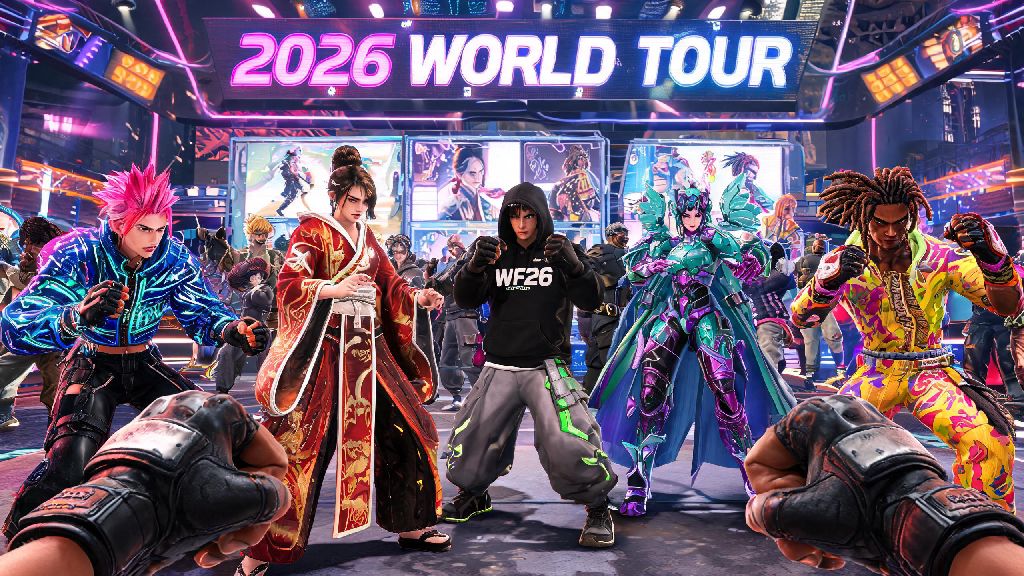
If you’re jumping back into Street Fighter 6 for the 2026 World Tour expansion or joining the community for the first time this year, you’ve probably noticed how many players are running around the Battle Hub with unique, custom outfits. It’s easy to feel left out if you don’t know where to find the customization menus, especially with the small QoL tweaks Capcom rolled out earlier this year that rearranged a few menu options. If you’re wondering how to change clothes in Street Fighter 6, this guide breaks down every step for every game mode, plus tips for unlocking new skins without spending extra cash. I’ve put over 400 hours into SF6 since launch, and I’ve tested every shortcut and workaround to make outfit swaps as fast as possible, so you don’t have to fumble through menus mid-queue.
How to Change Clothes in Street Fighter 6 for Main Menu Customization (2026 Updated Steps)
The most straightforward way to swap outfits is through the main menu customization tab, which got a small refresh in the 2026 spring update to make navigation faster. First, boot up the game and wait for the main home screen to load, with your currently selected fighter displayed on the left. From there, navigate to the Multi Menu option on the top right of the screen, represented by three horizontal lines. Once you open that, select the Customize tab from the list of options, which is marked with a t-shirt icon to make it easier to spot.
Next, select the “Character” option from the Customize menu, then pick the fighter you want to edit. You’ll see a list of customization options, including Outfit, Color, Accessories, and Emotes. Click on Outfit to see all skins you have unlocked for that character, and select the one you want to use. The 2026 update added a helpful toggle to hide locked outfits, so you don’t waste time clicking on skins you haven’t earned yet. If you want to add custom colors or accessories to your outfit, you can adjust those from the same menu before saving your changes.
Once you save your preset, that outfit will be the default skin for that character across all game modes, unless you manually change it in a specific mode like the Battle Hub. This process works the same across PlayStation 5, Xbox Series X/S, PC, and Steam Deck, so you don’t have to learn different steps depending on what platform you play on.
Changing Outfits Mid-Match and In Battle Hub 2026 Tips
One of the most requested features the SF6 community got in the 2026 update is the ability to swap outfits in specific scenarios without going all the way back to the main menu. If you’re playing casual matches with friends, you can now swap outfits between rounds to mix things up, as long as you have the feature enabled in your settings first. To turn it on, go to Gameplay > Customization > Allow Mid-Match Outfit Changes, and toggle the setting to on. Note that this feature doesn’t work for ranked matches, to prevent distractions and keep competitive play consistent.
If you’re hanging out in the Battle Hub, you don’t have to exit the lobby to change your outfit either. Just press the start button to open your player menu, select Player Profile, then select Edit Appearance. You can swap outfits, adjust accessories, and change your character’s emote wheel right there, without leaving the lobby or losing your spot in the match queue. This is a huge improvement from pre-2026 versions of the game, where you had to exit the Battle Hub entirely to edit your character.
Capcom also added hidden shortcut combinations for quick outfit swaps on the character select screen, so you don’t have to open the customization menu at all if you already know what skin you want to use. The shortcuts vary by platform:
These shortcuts work for all offline and online casual modes, so you can save a lot of time if you regularly swap between different outfits for the same fighter. I use the PlayStation shortcut all the time when I’m playing with friends, and it cuts down the time between matches by almost 30 seconds.
Unlocking New Clothes and Outfits for SF6 in 2026
Changing clothes is only fun if you have multiple outfits to pick from, and Capcom added 14 new free and paid skins to the game in the 2026 update, plus monthly limited-time event skins. The easiest way to unlock new outfits for free is through World Tour mode progression. If you raise your bond level with a base roster fighter to 100, you’ll unlock their Alternate Outfit 2 for free, no microtransactions required. Bond level increases when you give fighters their favorite gifts, complete their side quests, and train with them regularly in World Tour.
You can also unlock most standard outfits using Drive Tickets, the free in-game currency you earn from daily challenges, ranked match rewards, and Battle Hub event prizes. Most base game outfits cost 1000 Drive Tickets each, and you can earn around 500 Drive Tickets a week just by completing 3 daily challenges a day, so you can unlock a new outfit every two weeks without spending any real money. The 2026 update also added the option to earn Drive Tickets from custom lobby matches with friends, so you can grind for skins while playing with people you know.
Paid outfits, including the 2026 Resident Evil collab skins and third-party crossover outfits, are available as part of the 2026 Character Pass, or as individual purchases for $3.99 each. You don’t need to buy these skins to enjoy the game, but they’re a fun option if you want to support the developers and get unique cosmetics for your favorite fighters. You can find the full list of 2026 unlockable outfits and their requirements on the official Street Fighter 6 2026 update page to track which skins you still need to earn.
Limited-time event outfits are only available for 2-4 weeks at a time, so make sure to check the in-game event calendar at the start of every month to see what skins are up for grabs. Past 2026 event skins have included summer beach outfits for the entire roster, and Halloween-themed skins for Ryu, Chun-Li, and Jamie.
Common Mistakes to Avoid When Changing Clothes in SF6
Even with the 2026 menu updates, there are a few common mistakes new players make when trying to swap outfits that can lead to frustration. The most common one is trying to swap outfits in ranked play. As we mentioned earlier, mid-match outfit changes and quick select shortcuts are disabled for ranked matches to keep competitive play fair, so if your shortcut isn’t working, that’s almost always the reason. You can still set your default outfit for ranked matches through the main customization menu, you just can’t swap it once you’re in a ranked queue or match.
Another common mistake is forgetting to save your custom outfit preset after adjusting colors or accessories. If you make changes to an outfit and exit the menu without pressing the Save button on the bottom right of the screen, your changes will be reverted the next time you select that character. I’ve made this mistake myself a few times, spending 10 minutes adjusting a custom color scheme for Luke only to lose it because I forgot to save.
You should also avoid using modded outfits in online play, even if they’re just cosmetic. Capcom updated its anti-cheat system in 2026 to detect modded skins in online matches, and you can get a 24-hour to 7-day online play ban if you’re caught using them. Mods are totally fine for offline single player play, but make sure to disable them before you queue for any online matches. I learned this the hard way last month when I forgot to turn off a modded Akuma skin before queuing for ranked, and I lost access to online play for 24 hours.
The last mistake to avoid is ignoring outfit requirements for World Tour mode. Some missions in the 2026 World Tour expansion require you to wear a specific outfit to unlock the quest, so make sure to check the mission details before you travel to a new area. If you don’t have the required outfit, you can usually buy it from a nearby clothing vendor for a small amount of in-game Zenny.
At the end of the day, customizing your fighter’s outfit is one of the most fun parts of SF6, and the 2026 updates make the process way smoother than it was at launch. Whether you’re showing off a new limited-edition skin in the Battle Hub, swapping outfits between casual matches with friends, or just picking your favorite look for World Tour mode, the steps we covered here will help you navigate the menus fast. Now that you know how to change clothes in Street Fighter 6, you can spend less time fumbling through menus and more time perfecting your combos and climbing the ranked ladder.