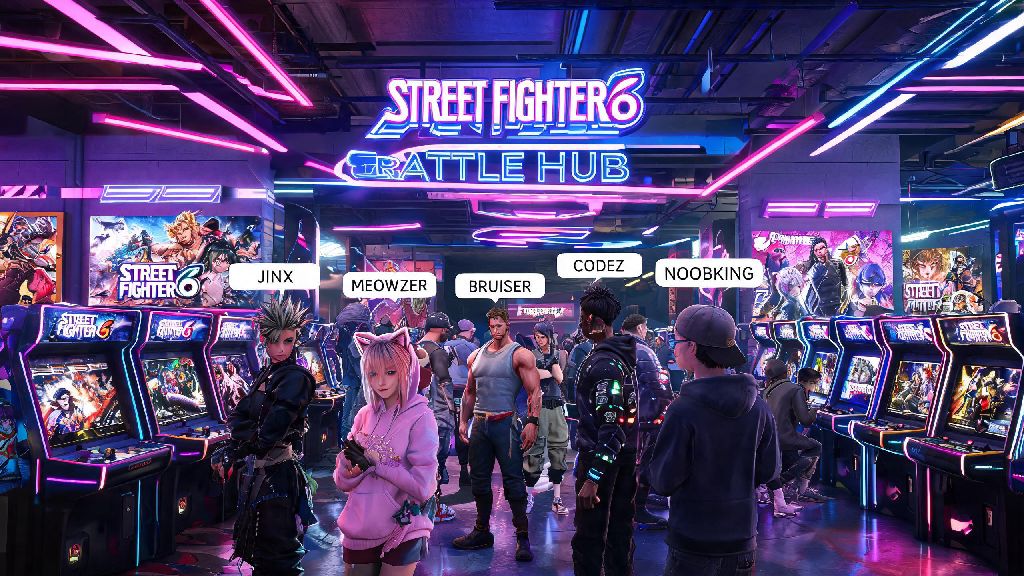
If you’ve spent any time in the Street Fighter 6 Battle Hub in 2026, you’ve probably noticed the endless creative handles players rock, from main-character puns to inside jokes with their local FGC groups. Maybe you’re stuck with the random default name you picked when you first booted up the game, or you outgrew the edgy handle you chose as a joke three months back. If you’re wondering how to change name on Street Fighter 6 without running into annoying errors or account restrictions, you’re in the right place. This guide breaks down every step for all platforms, covers common pitfalls to avoid, and shares tips to pick a handle that works for casual play and competitive events alike.
Pre-Requisites to Change Name on Street Fighter 6 in 2026
Before you jump into editing your profile, there are a few boxes you need to check first. Capcom rolled out updated account security and community rule changes in late 2025 that apply to all 2026 SF6 players, so skipping any of these steps will lead to your name change request getting rejected automatically. Capcom ID verification is mandatory for all name changes now, so if you haven’t confirmed your email address linked to your account, do that first before proceeding.
It’s also worth noting that your SF6 display name is completely separate from your platform ID, so you don’t need to change your PSN, Gamertag, or Steam username to update what other players see in matches. That’s a common misconception we see all the time in 2026 FGC forums, so save yourself the hassle of editing your platform profile first.
Step-by-Step Process to Change Your SF6 Name Across All Platforms 2026
The actual name change process is the same no matter what platform you play on, since all SF6 display info pulls directly from your Capcom ID rather than your console or store account. We recommend doing this on a desktop or mobile browser rather than through the in-game settings menu, as the in-game editor has frequent sync bugs in the 2026 build of the game.
First, log into your official Capcom ID account on the Capcom website. Navigate to the “Profile Settings” tab in the left-hand menu, then scroll down until you see the “Display Names for Online Games” section. You’ll see a separate entry for every Capcom game you own linked to your ID – find the Street Fighter 6 line, then click the “Edit” button next to it. Always check availability first before typing in your full desired name, as popular handles get taken fast, and you’ll get a vague save error if you skip this step.
Once you’ve confirmed your desired name is available, read through the quick terms of service pop-up, then hit “Save Changes”. You’ll get a confirmation email to your linked address right away, but the change won’t show up in game immediately. It usually takes 10 to 15 minutes for the update to sync across all servers, so don’t panic if you still see your old name when you boot up SF6 right after saving.
Never change your name right before a ranked match or tournament entry because sync delays can lead to you being flagged for a disconnected or unregistered account. If you’re registering for a 2026 Capcom Pro Tour qualifier, make sure you update your name at least 72 hours before sign-ups close to ensure it shows up correctly on tournament brackets.
Common Issues When Changing Name on Street Fighter 6 (And 2026 Fixes)
Even if you follow all the steps perfectly, you might run into a few common errors that have become more frequent with the 2026 SF6 updates. We’ve compiled the most common ones players report, plus simple fixes that work 90% of the time without needing to contact Capcom support.
The most frequent issue is the “Restricted Content” error when you try to save your new name. A lot of players assume their name is fine, but Capcom added hundreds of new banned terms and phrases in 2026 to cut down on harassment in the Battle Hub. If you get a "restricted content" error for your desired name, double check it doesn't include any banned terms from Capcom's 2026 community guidelines – even innocent phrases that can be taken out of context might be flagged. If you’re sure your name follows the rules, try adding a small suffix like an underscore or your main character’s initials to bypass the filter.
Another common issue is the name not syncing to your game even 24 hours after you saved it on Capcom ID. This is almost always a cache issue on your device. For PC players, go to the in-game settings menu, log out of your Capcom ID, close the game completely, then restart and log back in. For console players, clear your system cache, then restart the game. If it still doesn’t show up after that, you can submit a support ticket to Capcom, but response times are usually 3 to 5 business days in 2026.
If you’re told your name is already taken, don’t waste time adding random numbers to the end unless you’re okay with a messy handle. Try rephrasing your desired name, adding a relevant FGC reference, or using a different spelling that still sounds the same when said out loud.
Best Practices for Your SF6 Display Name in 2026
Now that you know how to change your name, it’s worth picking one that you won’t want to swap out again in a month, especially since you have to wait 6 months for a free change. There are a few small things to keep in mind that will make your handle work better for both casual and competitive play.
If you plan to stream your SF6 matches, pick a name that matches your social media handles to make it easier for viewers to find you after they play against you in the Battle Hub. A lot of 2026 content creators add small tags like “tv” or “yt” to their SF6 name to let people know they stream, which is an easy way to grow your audience while you play.
Avoid picking names that are too similar to pro SF6 players, even if it’s a joke. Capcom’s 2026 impersonation rules are really strict, and you could get a forced name change or even a temporary ban if you use a handle that’s close enough to a pro’s to confuse other players. It’s also not worth the hassle of having people accuse you of being an imposter every time you join a tournament lobby.
If you play a lot of ranked matches, pick a name that’s easy to remember so other players recognize you when you climb the leaderboards. A lot of players add their main character’s name or abbreviation to their handle, like “JamieMain2026” or “KimberlyAce”, which also lets opponents know what to expect when they load into a match against you. You don’t have to do this, but it’s a fun touch that a lot of the FGC uses in 2026.
At the end of the day, figuring out how to change name on Street Fighter 6 is a simple process once you know you have to go through your Capcom ID instead of your platform settings. As long as you follow the community guidelines, wait for the sync to finish, and pick a name you’ll be happy with for the next few months, you’ll be showing off your new handle in Battle Hub lobbies and ranked matches in no time. If you run into any issues we didn’t cover, you can check Capcom’s official 2026 support page for SF6 for more specific troubleshooting steps.