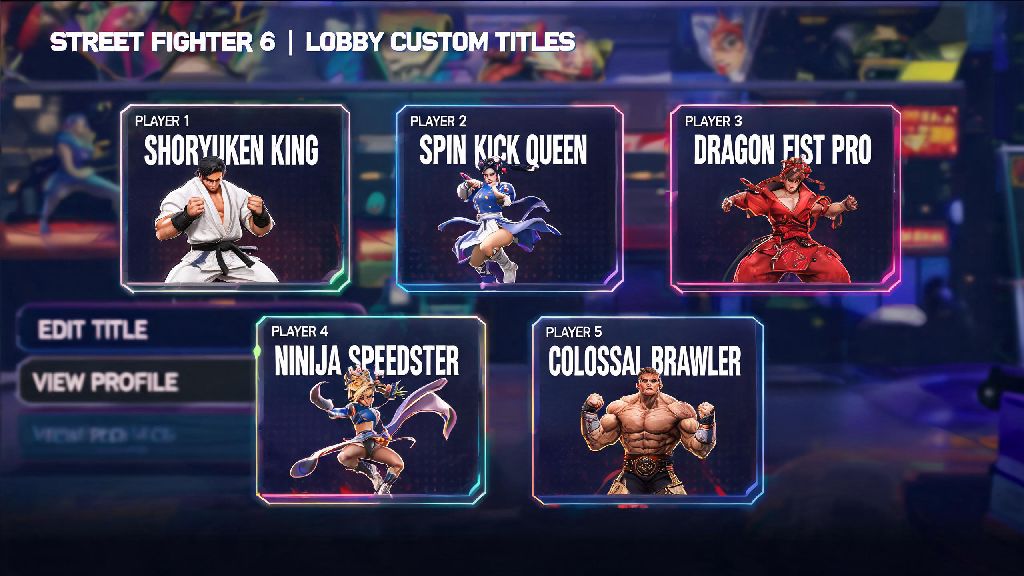
If you’ve spent hours grinding ranked matches or clearing World Tour side quests in Street Fighter 6, you’ve probably earned a handful of fancy titles you want to show off to other players in lobbies and match loading screens. A lot of new players struggle to find the right menu to swap their default title out, so we put together this no-fuss walkthrough to make the process as smooth as possible. We’ll cover everything from where to find the customization menu to how to unlock rare limited-edition titles, so you can tweak your profile exactly how you want it. If you’re here to figure out how to change your title in Street Fighter 6, you’re in exactly the right place.
Where to Find the Title Customization Menu in SF6
The title customization menu is tucked away in your profile settings, and you can access it from almost any game mode with just a few clicks. From the main home screen, navigate to the “Profile” tab on the top right of the interface, then select “Battle Settings” from the dropdown menu. From there, choose “Profile Customization” and you’ll see a dedicated “Title” option right below your profile icon and display name. You don’t need to be in a specific game mode to adjust your title – you can even swap it between matches in the Battle Hub by pressing the start button and selecting your player card from the side menu.
Once you open the title menu, you’ll see all the titles you’ve unlocked sorted by category, including ranked rewards, World Tour exclusives, event drops, and Fight Pass unlocks. Just select the title you want to use, hit confirm, and you’re good to go. Changes will show up immediately across all online modes, so other players will see your new title the next time you load into a match or join a Battle Hub lobby.
How to Unlock New Titles to Use on Your Profile
You won’t have access to many titles when you first start playing SF6, but you can unlock dozens of unique options as you progress through different parts of the game. Some titles are easy to get for casual players, while others require serious skill and dedication to unlock. The most common ways to earn new titles include:
The rarest titles in the game are only given to the top 100 players on each platform’s monthly ranked leaderboard, so if you see someone with one of those, you know they’ve put in serious work to climb the ranks. If you’re the type of player who loves unlocking rare cosmetic rewards to show off your progress, you probably already seek out games with robust customization systems and limited-time collectibles. Lots of players who grind for rare SF6 titles also enjoy other skill-based games with tiered reward tracks that let you show off your expertise to other players. IND Rummy, for example, has a similar reward system that gives you exclusive badges and titles the more you play and improve your skills, so it’s a fun way to scratch that collectible itch when you want a break from frame data and combo practice. Make sure to check the in-game news tab every week to catch limited-time title drops before they expire, as most event titles don’t come back once the event ends.
Common Mistakes to Avoid When You Change Your Title in Street Fighter 6
Even though changing your title is a simple process, a lot of players run into small issues that stop their new title from showing up correctly. The most common mistake is forgetting to save your changes before exiting the customization menu. It’s easy to select your new title and back out right away, but the game won’t save your choice unless you hit the “Confirm” button on the bottom of the screen. Always press the “Save Changes” button before exiting the customization menu to make sure your new title sticks.
Another common mistake is trying to use a title you haven’t actually unlocked. The title menu shows every title in the game, even ones you haven’t earned yet, and locked titles are grayed out with a small lock icon next to them. If you select a locked title, it won’t apply to your profile, so make sure you’re picking a title that’s fully unlocked first. You’ll also want to pay attention to the difference between character-specific titles and account-wide titles. Character-specific titles only show up when you’re playing that exact character, while account-wide titles show up no matter who you pick for matches. Account-wide titles will stay on your profile no matter what character you pick for matches, so they’re the best choice if you want a consistent personal brand across your whole roster.
Creative Ways to Use Titles to Personalize Your SF6 Profile
Titles are more than just a way to show off your rank – they’re a fun way to add personality to your profile and mess with opponents before matches even start. If you main a specific character, pair a character-specific title with their signature outfit to make your playstyle obvious from the loading screen. For example, if you main Jamie, you can use the “Drunken Fist Pro” title to let opponents know they’re in for a tricky match full of mixups.
You can also use funny, casual titles to throw opponents off their game. Titles like “I Only Press Heavy Punch” or “I Forgot My Combos” make you look like a new player at first glance, which can make opponents overconfident and more likely to make mistakes early in the set. If you’re someone who participates in Battle Hub tournaments, your title is a great way to let other players know what you’re there for, too. You can even coordinate your title with your outfit, emote, and profile background to create a fully cohesive personal brand that stands out in crowded Battle Hub lobbies.
Titles are one of the most underrated personalization tools in Street Fighter 6, and swapping them out takes less than a minute once you know where to look. You don’t need any special unlocks or premium currency to adjust your title, so you can swap it as often as you want to match your mood, your main character, or your latest ranked achievement. Next time you log on to grind matches or hang out in the Battle Hub, take 30 seconds to change your title in Street Fighter 6 to something that feels true to your playstyle and personality. You might be surprised how much a small change to your profile can make your whole SF6 experience feel more personal.