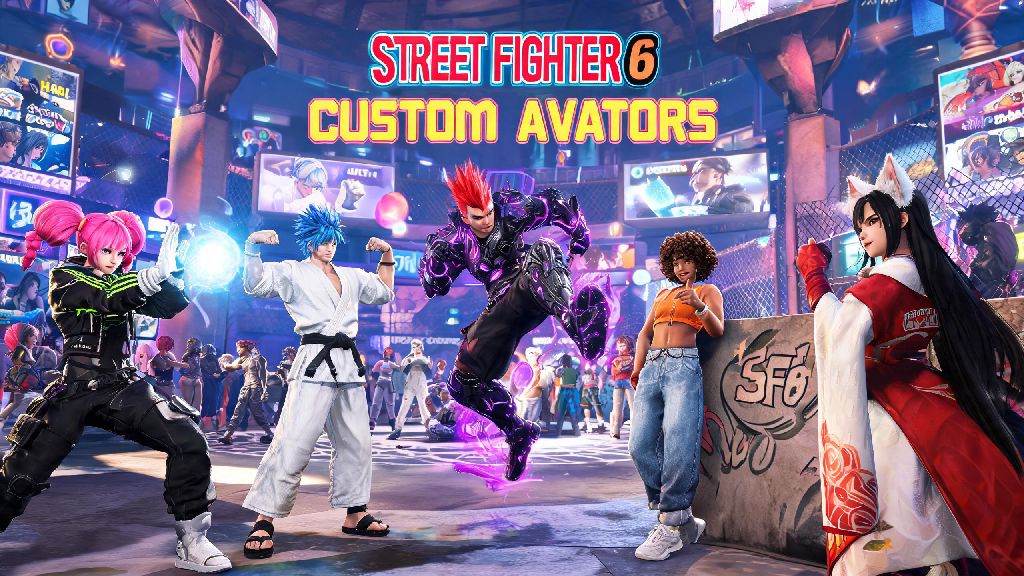
If you’ve spent any time in Street Fighter 6’s World Tour mode or online Battle Hub, you’ve likely seen tons of wild, creative avatars running around that look nothing like the default options. Whether you want to tweak your existing character’s hair, swap out their outfit, or completely redo their face to match your own style, learning how to edit avatar in Street Fighter 6 is way simpler than you might think. I’ve messed around with the avatar editor for dozens of hours to get my custom brawler just right, so I’m breaking down every part of the process, from accessing the menu to unlocking rare customization items you won’t find right away.
Where to Access the Avatar Editor in Street Fighter 6
You don’t have to restart your entire save file or replay the World Tour opening to adjust your avatar, which is a common misconception for new players. There are two easy ways to pull up the editor depending on what mode you’re playing. From the main menu, you can navigate to the “Profile” tab, select “Avatar,” and jump straight into editing without loading into any game mode first. If you’re already in World Tour, you can either use the dresser in your safe house or open the in-game phone, select “Profile,” then tap “Edit Avatar” to make changes on the go. You can edit your avatar at any time, no need to restart your save file even if you’re 20 hours into World Tour, all your progress and unlocked items will carry over to your updated character. Just note that you can’t access the editor while you’re in a Battle Hub lobby or mid-match, so you’ll have to exit back to the main menu or World Tour first to make tweaks.
How to Edit Avatar in Street Fighter 6: Core Customization Options
The editor is split into three main sections: appearance, outfit, and personality, and all base options are available to use for free right from the start. The appearance tab lets you adjust everything from face shape and eye color to muscle definition, skin texture, and even the curvature of your character’s smile. Sliders are intuitive, and you can zoom in on specific parts of your avatar to make tiny adjustments that add a lot of personality. Most base customization options are free to use as many times as you want, so you don’t have to stress about wasting in-game currency to test out different looks. A lot of players only scratch the surface of what the editor can do, and miss out on small details that make avatars feel truly unique:
How to Unlock New Avatar Gear and Customization Items
While base options are free, you can unlock hundreds of additional outfits, accessories, hairstyles, and tattoos as you play through Street Fighter 6’s different modes. The easiest way to get new gear is to buy it from merchants scattered across World Tour locations, including Metro City, Nayshall, and the abandoned Genbu Temple. Each merchant sells unique items tied to their location, so it’s worth checking every shop you pass as you explore. Some rare gear only drops from high-level side quests and secret NPC fights, so if you see a NPC with a purple quest marker above their head, it’s almost always worth taking the time to complete it for the exclusive reward. You don’t have to play World Tour to get new items, either. You can also earn exclusive avatar items by competing in limited-time online Battle Hub events, like seasonal tournaments and community challenges. The premium in-game shop sells collab outfits and rare accessories too, but none of these items give any gameplay advantage, so you don’t have to spend real money to get a cool looking avatar. If you’re hunting for a specific rare outfit, check merchant stock every in-game day, as their inventory rotates every 24 in-game hours, which is only about 20 minutes of real time.
Common Avatar Editing Mistakes to Avoid
It’s easy to get lost in all the customization options and make small mistakes that you’ll regret later, so I’ve rounded up the most common errors new players make. First, don’t fall for the myth that smaller or taller avatars have different hitboxes. Avatar hitboxes are identical across all character models, so you don’t have to worry about small or tall avatars giving you a gameplay advantage. You can make your avatar as wild and exaggerated as you want without hurting your ranked match performance. Another common mistake is forgetting to save your changes before exiting the editor. I lost 30 minutes of customization work once because I hit the back button instead of the save button, so double check before you leave the menu. Don’t buy gear before testing it on your avatar first either, some oversized outfits look weird on smaller character models, and you can’t return items once you purchase them. If you’re stuck for ideas, don’t sleep on the randomize button. I once randomized a cowboy hat with a cyborg arm and neon running shoes that became my main outfit for three months, so it’s a great way to find unexpected combinations you would never think of on your own.
At the end of the day, customizing your avatar is one of the best parts of Street Fighter 6, and it’s totally worth taking the time to get your look exactly right. Now that you know how to edit avatar in Street Fighter 6, you can mess around with different looks, unlock rare gear, and make sure you stand out every time you walk into the Battle Hub or step into a ranked match. Don’t be afraid to get weird with it—some of the most popular avatars in the community are the most creative, not the most realistic.