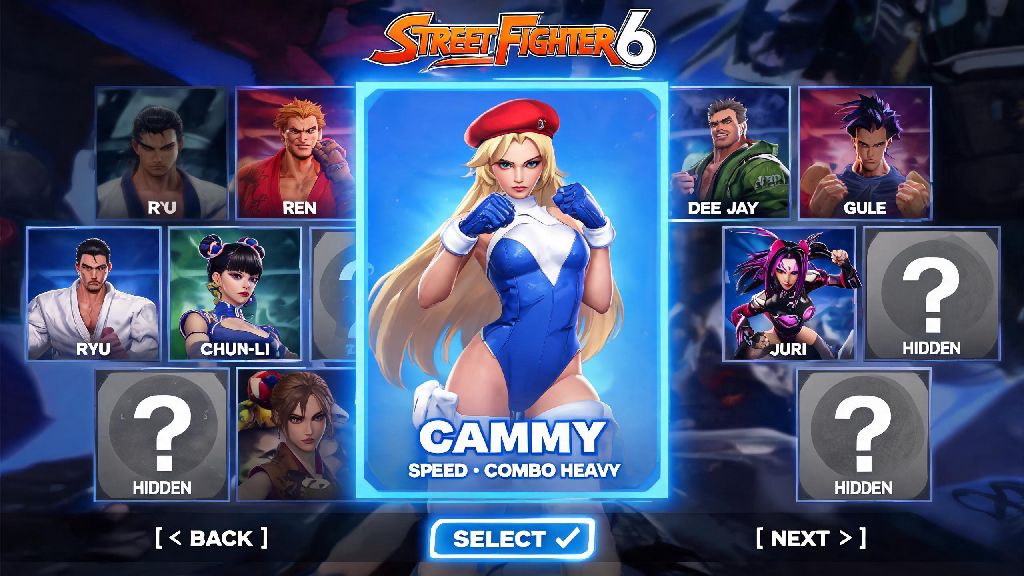
If you’ve ever booted up Street Fighter 6 ready to try Cammy’s fast, combo-heavy playstyle only to find she’s nowhere to be seen on your character select screen, you’re not alone. Thousands of new players run into this issue every week, either because of hidden filters, uncompleted story progress, or simple user error. Learning how to find Cammy in Street Fighter 6 doesn’t require complicated workarounds, and this guide covers every possible scenario, from base roster access to World Tour master unlocks and troubleshooting common missing character issues.
How to Find Cammy in Street Fighter 6 Base Game Character Select
The good news is Cammy is part of SF6’s core base roster, so you don’t have to pay for extra DLC to access her for casual, ranked, training, or arcade modes. The most common reason you can’t find her right away is enabled character filters that hide parts of your roster by default. Turn off all character filters first by pressing the filter button on the character select screen (it’s the left bumper on Xbox, L1 on PlayStation, and F on PC by default) and unchecking all boxes for “recent picks only”, “DLC only”, or “roster sorted by play rate.”
Once filters are off, Cammy is grouped with other Shadaloo-associated fighters, usually between Chun-Li and Dee Jay on the default roster sort. If you’re playing training mode for the first time, note that the game defaults to locking you to Luke until you manually open the full character select menu, so you don’t need to unlock anything extra to pick Cammy there. If you’re playing local versus mode, make sure the match host hasn’t enabled restricted roster settings that block certain characters, as that’s another common overlooked issue.
Finding Cammy in World Tour Mode and Unlocking Her As a Master
Cammy is only locked in SF6’s open-world World Tour mode, and you won’t be able to find her as an interactable NPC or master until you hit specific story progress milestones. You can't access Cammy as a World Tour master until you reach player level 30 and complete the "Showdown at the Coliseum" side quest in Old Nayshall. You don’t have to beat the entire main story to unlock her, but you do need to finish all the initial Metro City quests and travel to the Old Nayshall region first.
Once you complete that side quest, Cammy will spawn near the northern end of the Old Nayshall market district most in-game days, and you can talk to her to start her master quest line. Raising your friendship level with Cammy unlocks her full move set for your custom avatar, exclusive voice lines, and her signature costume for your avatar to wear. The fastest ways to raise your friendship with Cammy once you find her are:
You don’t have to unlock Cammy in World Tour to play as her in other modes, so if you only care about using her for ranked matches, you can skip the World Tour grind entirely. But unlocking her master line is worth it if you want to build a fast, strike-focused custom avatar for World Tour fights or Battle Hub avatar battles.
Troubleshooting: What to Do If Cammy Is Missing From Your Roster
If you’ve turned off all filters and still can’t find Cammy in your base roster, there are a few simple fixes that resolve almost all common issues. First, make sure your game is updated to the latest official version. Many players who skip the day 1 patch or ignore automatic updates find that base roster characters are hidden until the latest patch is installed, as the launch version of SF6 had a small bug that hid certain fighters for players with region-locked accounts.
Double-check your character select filter settings to make sure "base roster only" is not toggled off – this is a super common mistake for players who own a lot of DLC characters, as the filter can accidentally get switched to “DLC only” when you’re browsing new paid fighters. If you play on PC and use custom mods, try disabling all mod packs first, as many character or skin mods can break the base roster display and hide fighters like Cammy entirely.
If you’re playing on a shared console account, make sure the main account that purchased SF6 is online and has content sharing enabled. Shared accounts often lose access to base game content if the main account is not logged in, which can make Cammy and other base roster fighters disappear until the main account reconnects. If none of these fixes work, you can verify your game files on PC or re-install the game on console to restore missing roster content.
Accessing Cammy's Alternate Skins and Battle Hub Variants
Once you find Cammy in your base roster, you might want to unlock her alternate costumes and special variants for different modes. Her first default alternate costume unlocks automatically once you win 10 ranked or casual matches with her, no extra work needed. You can equip it by highlighting Cammy on the character select screen and pressing the costume change button.
Her classic Street Fighter 2 costume is available for free if you link your Capcom ID to your game account, no extra purchase required. You can claim it from the in-game shop’s “owned content” tab once your ID is linked. If you pre-ordered SF6, you also get her exclusive Delta Red operative costume for free, which is also located in the owned content tab. Premium collaboration skins for Cammy are released regularly for special events, and you can buy them with either real money or Drive Tickets you earn from completing daily and weekly challenges.
In the Battle Hub, you can also find special NPC Cammy fighters that spawn near the northern battle stations during limited-time events. Sparring against these NPCs lets you test your skills against different Cammy play styles, and winning gives you extra Drive Tickets and exclusive profile badges. These NPCs adjust their difficulty based on your current in-game rank, so they’re a great way to practice for ranked matches against Cammy players even if you don’t have friends to play with.
At the end of the day, figuring out how to find Cammy in Street Fighter 6 is far less complicated than mastering her high-risk, high-reward playstyle. Most of the time, the only thing standing between you and picking her for your next match is a hidden filter or a small World Tour story progress gate. Once you have her unlocked, take some time to test her moves in training mode, and don’t be afraid to experiment with her different costume variants to make her fit your personal play vibe. If you run into any edge case issues finding her, you can always check the official Capcom support page for updated troubleshooting steps, but the tips we covered above will fix 99% of common Cammy access issues.