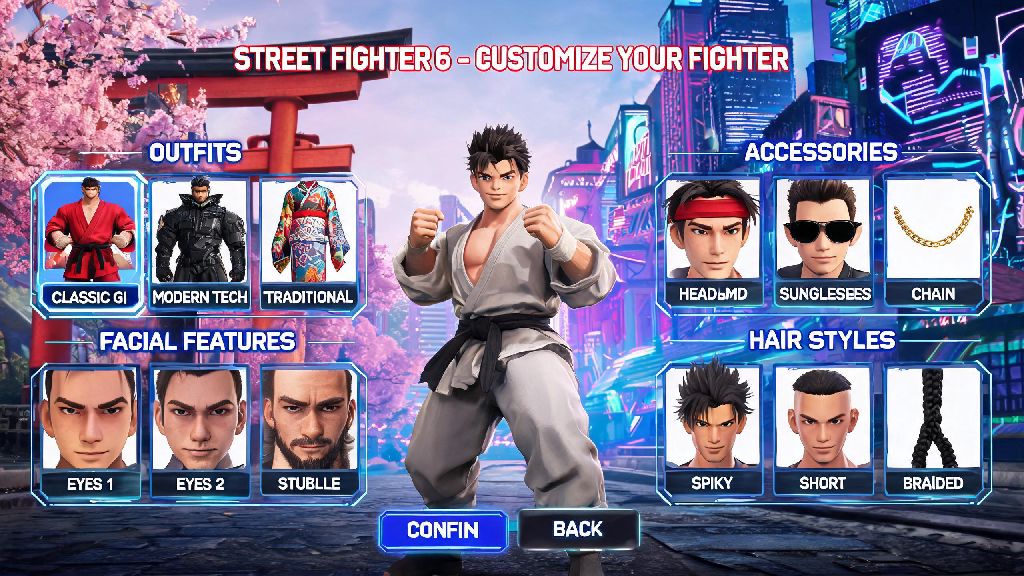
One of the biggest draws of Street Fighter 6 compared to past entries in the franchise is its deep, flexible avatar creation system. You don’t have to stick to the default roster of fighters if you don’t want to: learning how to make a new character in Street Fighter 6 lets you jump into World Tour mode, Battle Hub lobbies, and custom avatar matches with a fighter that feels totally personal to you. A lot of new players get stuck on hidden customization options or miss choices that impact their playstyle later, so this guide walks you through every step without any confusing jargon.
How to Make a New Character in Street Fighter 6 From Scratch
If you’re launching the game for the first time, you’ll get a prompt to create your avatar right after you finish the opening cutscene for World Tour mode. If you already have an existing avatar and want to make a new one, you can head to the main menu, select “Avatar Settings”, and choose “Create New Avatar” to start over without losing your existing World Tour progress. You can store up to 10 custom avatar presets, so you don’t have to delete your old character to test a new build.
Start by picking your base physique, and don’t rush this step. Changing your base body type later costs Drive Tickets, the game’s premium currency, so you’ll want to pick a size that aligns with your playstyle from the start. Next, you can customize every part of your face, from eye shape to scar placement, or upload a photo of yourself to auto-generate a lookalike avatar if you don’t want to tweak every detail manually. You can also pick your base skin tone, hair style, tattoos, and other cosmetic details here, all of which you can adjust for free later if you change your mind.
The last step of initial creation is picking your base voice, starting outfit, and default fighting style. Your default fighting style will set your early move list, but you can swap it for any master’s moveset once you unlock them in World Tour mode, so don’t stress too much about this choice if you’re still new to the game.
Top Customization Options to Prioritize for Your New SF6 Avatar
It’s easy to get overwhelmed by the hundreds of customization sliders and options in the creation menu, but these are the only choices that will have a meaningful impact on your gameplay or how your avatar feels to use long-term:
Don’t worry if you don’t get all these choices right the first time. Most cosmetic options can be changed later for free at the Style Shop in Metro City, or any clothing vendor you unlock as you travel through World Tour mode. The only choices you can’t change for free later are your base physique and initial voice type, so spend a little extra time on those two when you first create your character.
How to Unlock Custom Moves for Your New Street Fighter 6 Character
Once you finish the initial creation steps, you’re not stuck with a generic moveset. As you progress through World Tour, you’ll meet master fighters like Luke, Jamie, Kimberly, and Zangief, who will teach you their special moves if you build your bond with them. You can raise bond level by fighting alongside them, completing side quests for them, or giving them their favorite gifts, which you can buy from street vendors across the game’s open world.
The best part of the custom character system is that you can mix and match moves from different masters to create a totally unique playstyle. For example, you can combine Jamie’s drunken boxing combos with Chun-Li’s Spinning Bird Kick, or Zangief’s Spinning Pile Driver with Kimberly’s fast dash attacks, to make a fighter no one else can play exactly the same way as. You can only equip a maximum of 6 special moves at a time, so test different combinations in training mode before you lock in your loadout for ranked avatar battles.
You can also unlock custom super moves as you raise your bond level with each master to max rank. Most super moves have high damage but long windup times, so pick one that complements your playstyle: pick a fast, close-range super if you like to play aggressively, or a long-range projectile super if you prefer to fight from a distance.
Common Mistakes to Avoid When Creating Your New SF6 Avatar
A lot of new players make avoidable mistakes when creating their first custom character that end up costing them Drive Tickets or making fights harder later on. The first mistake is picking the largest possible physique thinking it gives them an automatic advantage. While taller avatars have longer reach, they’re also way easier to combo, especially against fast characters like Jamie or Kimberly. If you’re new to fighting games, a medium-sized physique is the most balanced choice, with no clear weaknesses that opponents can exploit easily.
Another common mistake is ignoring stat bonuses on clothing. A lot of players pick clothes only based on looks, but even small stat boosts can make a big difference in tough World Tour boss fights, or even in casual avatar battles against other players. You can always transmog your gear to look like whatever you want later, so prioritize stats first when you’re picking new equipment.
Finally, don’t forget to save your creation preset. You can save up to 10 avatar presets in the game’s settings, so if you want to experiment with different looks or builds later, you won’t have to rebuild your favorite avatar from scratch. If you plan to participate in official avatar battle tournaments, double check the rules first: some custom move combinations are banned in competitive play, so you don’t want to show up with a loadout that gets you disqualified.
At the end of the day, learning how to make a new character in Street Fighter 6 is all about having fun and building a fighter that fits the way you want to play. Don’t stress too much about making the “perfect” avatar right away; you can tweak almost every part of your character as you play more, unlock more gear, and figure out what playstyle works best for you. Next time you log into SF6, take a few minutes to mess around with the creation tools, you might end up with a fighter that feels way more personal than any of the default roster options.