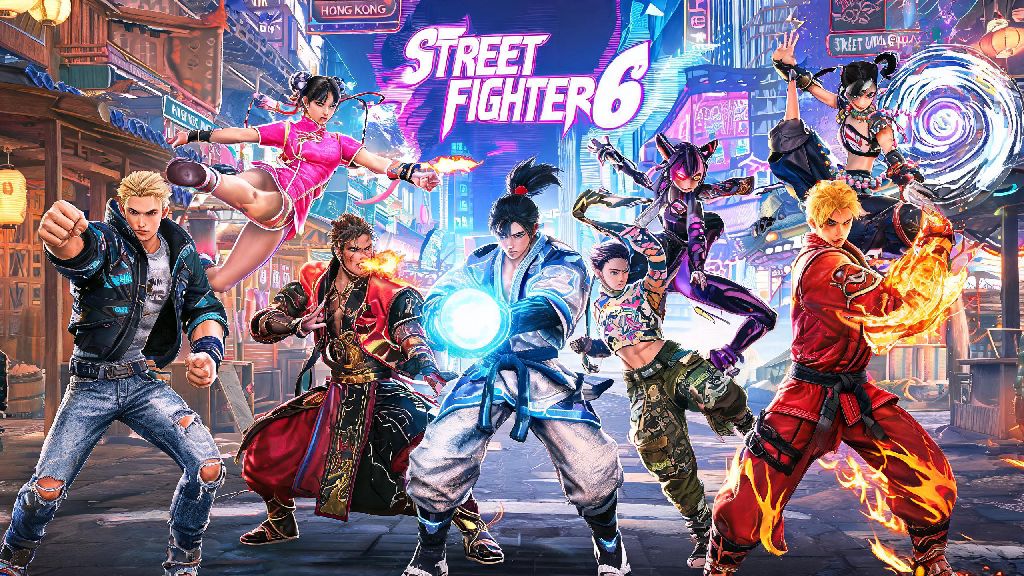
If you’ve put dozens of hours into maining a single Street Fighter 6 character, the default outfit can start to feel pretty stale after a while. It’s hard to feel like a unique competitor when every other Ryu or Chun-Li you run into is rocking the exact same gi or qipao as you. The good news is learning how to change outfit in Street Fighter 6 is far simpler than most new players assume, and it opens up tons of fun customization options you might not even know existed.
How to Change Outfit in Street Fighter 6 Across All Game Modes
The process of switching up your fighter’s look changes slightly depending on what game mode you’re playing, but none of the steps are complicated. The first thing to note is You can only adjust your outfit before you enter a match queue or load into a World Tour instance — you won’t be able to swap fits mid-battle or while you’re already exploring Metro City.
For Fighting Ground mode (the standard 1v1 match mode), start from the main menu and select the “Customize” tab, then choose “Fighter”. Pick the character you want to edit from the roster, and you’ll see all currently unlocked outfits for that fighter appear in a side menu. Scroll to the one you want, select “confirm”, and it will be saved as your default outfit for all future Fighting Ground matches. You can repeat this process for every character on the roster individually.
For Battle Hub mode, you’ll need to adjust your outfit through your profile instead. Click the small profile icon in the top right corner of the Battle Hub lobby screen, select “Edit Profile”, then navigate to the “Outfit” tab. The outfit you select here will be the one other players see when you walk around the lobby, as well as the one you use in any matches you start from the hub. If you’re using your custom World Tour avatar in the Battle Hub, the same menu lets you edit their full look too.
For World Tour mode, open your in-game phone menu, select the “Status” option, then tap “Outfit”. This lets you swap between any outfits you’ve unlocked for your avatar, as well as any character outfits you’ve earned for use in story battles. Changes you make here apply immediately as you walk around the open world.
How to Unlock New Outfits for Your Favorite SF6 Characters
Changing outfits is only fun if you have more than the default option to choose from, and there are dozens of free and paid outfits available across the game. Every character comes with one default outfit right out of the box, but you can unlock up to four additional outfits per character through different in-game activities.
The easiest free outfit to unlock for every character is Outfit 2, their casual off-duty look. You can earn this by maxing out a character’s bond level in World Tour mode, which you raise by completing their side quests and giving them gifts they enjoy. Maxing a character’s bond level only takes 3-4 hours of focused side quests if you know what gifts they prefer, so it’s a very achievable grind even for casual players. Outfit 3 for most characters is only available through limited time Capcom collaboration events, so you’ll want to keep an eye on official updates to make sure you don’t miss out on those drops.
If you’re grinding hours of World Tour side quests to unlock outfits, you’ll want a setup that keeps your hands comfortable during long play sessions. The best fighting game controllers with responsive D-pads cut down on missed inputs during side quest battles, so you can unlock outfits faster without frustration.
If you don’t feel like grinding for outfits, you can also buy most skins directly from the in-game shop using either Drive Tickets (earned for free by completing daily and weekly challenges) or Fighter Coins (the paid premium currency). Some rare event outfits are only available for Fighter Coins, but the vast majority of base alternate outfits can be bought with free Drive Tickets if you save up.
If you’re a new player looking to build up your outfit collection fast, these are the easiest skins to unlock first:
Tips to Customize Your Outfit Further for Extra Flair
Swapping between base outfits is just the start of SF6’s customization system. Once you’ve picked a base outfit you like, you can tweak almost every detail of it to make it totally unique to your playstyle. The first adjustment most players make is to the color palette, which lets you change the color of every piece of the outfit individually. Want a neon pink Ryu gi or all-black Chun-Li qipao? You can make that happen in 30 seconds in the customization menu.
Custom color palettes you create are visible to other players in both Battle Hub lobbies and ranked matches, so it’s a great way to stand out from the crowd. You can save up to 10 custom color palettes per outfit, so you can swap between different looks depending on your mood that day.
You can also add small accessories to most outfits, including hats, glasses, belts, jewelry, and even temporary face tattoos. Some accessories are universal and work for every character, while others are character-specific. I’ve had a lot of fun pairing Ryu’s traditional gi with a pair of modern sunglasses, and it always gets a few comments from opponents after matches.
If you find a custom look you really love, you can save it as a preset in the customization menu. That way you don’t have to rebuild it from scratch if you accidentally swap to a different outfit later. You can save up to 10 full outfit presets per character, which is more than enough for most players.
Common Mistakes to Avoid When Changing SF6 Outfits
Even though changing outfits is pretty straightforward, there are a few common mistakes that new players make all the time that can waste their time or in-game currency. The most common mistake is forgetting to save your custom outfit before exiting the customization menu. If you spend 10 minutes tweaking a perfect color palette and then hit back instead of “save”, you’ll lose all your progress and have to start over. I’ve made this mistake myself more than once, so get in the habit of saving immediately after you make any changes.
Another big mistake is wasting your hard-earned Drive Tickets on random outfit crates. These crates give you a random cosmetic item, and the odds of getting the specific outfit you want are extremely low. Never spend Drive Tickets on random outfit crates unless you’ve already unlocked all base outfits for your main characters. It’s almost always better to save up and buy the exact outfit you want directly from the shop for a fixed price.
Many players also forget to sync their World Tour outfit settings to their Battle Hub profile. If you spend hours making a cool custom look for your avatar in World Tour, you’ll have to manually select it in your Battle Hub profile settings if you want other players to see it in the lobby. It only takes a few seconds to do, but most new players don’t realize it’s a separate setting.
If you’re playing on a shared console or PC, make sure you’re logged into your own Capcom ID profile before you make any outfit changes. All customizations are tied to your Capcom ID, so if you edit outfits on a guest profile, none of those changes will carry over to your main account when you log back in.
Now that you know how to change outfit in Street Fighter 6, you can stop showing up to matches in the same default fit everyone else uses. Even small customizations like a new color palette or a fun accessory can make the game feel way more personal, and it’s always fun to get compliments from other players on your unique look. Take 10 minutes the next time you log in to play around with the customization menu — you might be surprised by how many cool looks you can put together without spending any real money.