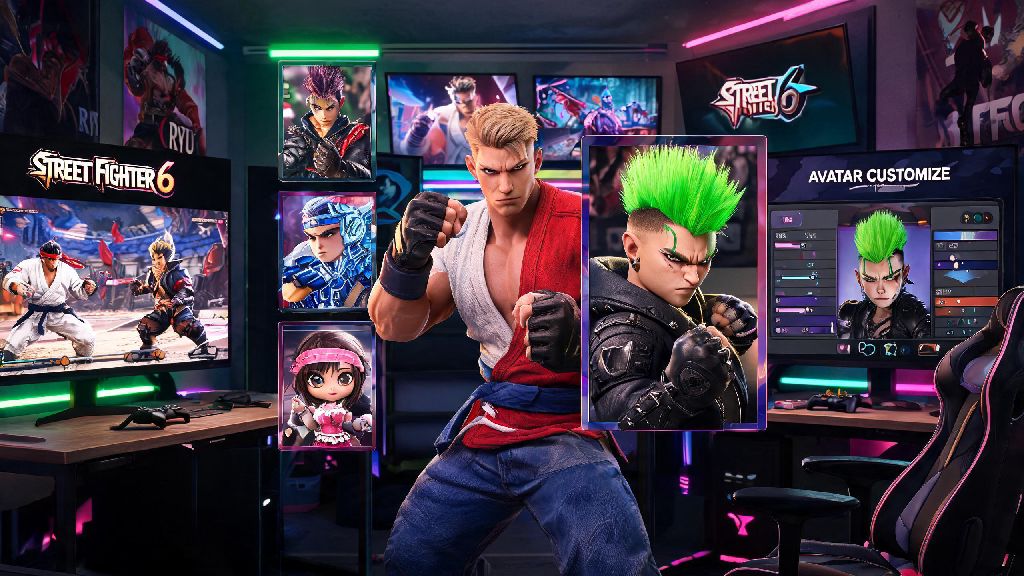
There’s nothing worse than logging into Street Fighter 6 for a casual night of matches, only to cringe at the neon green mohawk you thought was cool three months ago. You spent 45 minutes perfecting your avatar when you first launched the game, but tastes change, and you don’t have to be stuck with the same look forever. Most players miss the hidden customization menus at first, since they’re not front and center on the main screen. If you’re wondering how to change Street Fighter 6 avatar features after your initial creation, you’re not alone. This guide walks you through every step for all platforms, fixes common glitches, and shares tips to unlock free exclusive items for your custom character.
Step-by-Step Process to Change Your Street Fighter 6 Avatar
All avatar edits are tied to either World Tour mode or the Battle Hub, so you won’t find the option on the main game menu. If you already play World Tour regularly, this is the fastest way to make changes, especially if you’re already loaded into the open world.
First, open your World Tour map and look for two icons: a pair of scissors for beauty salons, and a t-shirt for clothing stores, mostly located in Beat Square and Metro City Downtown. You can also visit the central customization station in the World Tour hub area if you don’t want to travel across the map. Interact with the salon attendant or station, and select the “Edit Avatar” option from the pop-up menu.
From there, you’ll get access to the same full creation suite you used when you first made your avatar. You can adjust almost every feature, though some edits cost a small amount of in-game currency. All changes save immediately, and will show up across every mode where you use your custom avatar, including Battle Hub lobbies, online casual matches, and World Tour cutscenes.
Here’s a full breakdown of what you can adjust when you open the edit menu:
You don’t have to spend real money to make most edits. Most basic changes cost Drive Tickets or Zenny, which you can earn for free by completing matches and World Tour missions. Only premium limited-time outfits require Fighter Coins, Capcom’s paid in-game currency.
How to Access Avatar Customization Without World Tour Mode
If you only play Street Fighter 6 for ranked matches or Battle Hub tournaments, you don’t have to grind through World Tour’s story just to edit your avatar. Capcom added a dedicated customization option in the Battle Hub a few months after launch, specifically for players who skip the open world mode.
To access it, boot up the game and select Battle Hub from the main menu. Once you load into the hub, walk toward the center of the room, right next to the ranked match registration terminals. You’ll see a customization kiosk with a t-shirt icon above it, which you can interact with to open the full avatar edit menu. All the same options from the World Tour salons are available here, including facial edits, outfit swaps, and emote changes.
I used to waste 10 minutes loading into World Tour just to switch my outfit before community tournaments, and this kiosk cuts that process down to 60 seconds flat. If you want to change your SF6 avatar before a big tournament, this is the fastest way to do it without wasting time on loading screens. If you edit your avatar often, you can also pin the customization option to your console or PC quick menu, so you don’t have to walk to the kiosk every time you want to make a change.
The only catch is that you still need to unlock items through World Tour or events to use them in your edits. If you see an outfit you want that’s locked, you can usually earn it by completing a handful of easy World Tour side missions, no full story playthrough required.
Fixing Common Issues When Changing Your Street Fighter 6 Avatar
Even if you follow the steps correctly, you might run into a few common glitches or locked options that stop you from editing your avatar. Most of these issues have simple fixes that take less than a minute to apply.
The most common issue is a grayed out “Edit Avatar” button. This almost always happens if you’re currently in a match queue, or you have an active event mission that requires you to wear a specific outfit to complete it. To fix it, exit the match queue first, then either complete the active mission or abandon it from your mission menu to unlock the edit option.
Another common complaint is missing items that you know you earned. If you unlocked a hairstyle or outfit from a recent event but don’t see it in your edit menu, first check your in-game mail. All event rewards are sent to your mail box, and you have to manually claim them before they show up in your inventory. If you play across multiple platforms, make sure your Capcom ID is linked correctly, as all avatar items are tied to your ID, not your individual platform account.
One big concern a lot of new players have is that changing their avatar’s body type will change their custom fighter’s hitbox. You don’t have to worry about that. All custom avatar fighters use standardized hitboxes, regardless of height, weight, or body shape, so your edits will never affect your ranked match performance. Capcom confirmed this shortly after launch to level the playing field for all custom fighter users.
These simple fixes will let you change your SF6 avatar whenever you want, no technical headaches required. If your changes won’t save, that’s usually caused by a dropped internet connection to Capcom’s servers. Always make sure you have a stable connection before you make big edits, or if you’re playing offline, save your World Tour game immediately after making changes to avoid losing them.
Unlocking Exclusive Avatar Items for Free
You don’t have to spend real money on Fighter Coins to get cool, rare avatar items. Capcom adds dozens of free customization options every month, and most of them are easy to earn if you know where to look.
Weekly Battle Hub challenges are the easiest way to get free items. Every Tuesday, Capcom drops three new challenges that reward exclusive hairstyles, outfits, and emotes for completing simple tasks like winning 10 casual matches, participating in a community tournament, or sending 5 friend requests to other players. Most of these items are only available for that week, so check the challenge menu every time you log on to avoid missing out.
World Tour side missions also give out rare items you can’t buy in stores. For example, the side mission where you help an old lady carry her groceries across Metro City gives you the classic Ryu white headband, and the mission where you beat 5 street fighters near the beach gives you a limited-edition summer shirt that’s not available for purchase. You don’t have to complete the full World Tour story to access these missions, either—you can unlock most of them within the first hour of playing the open world mode.
Capcom also regularly drops free promo codes for avatar items through their official social media accounts and newsletter. I got the limited-edition Street Fighter 3 25th anniversary jacket last month just by signing up for the official Capcom ID newsletter, and I’ve gotten three free emote packs from codes shared on their Twitter account. These codes usually expire after a month, so make sure to follow their accounts if you want to grab free items as they drop.
If you participate in official Capcom community tournaments, you can also earn exclusive avatar items that are only available to tournament participants. These include rare title cards, outfit sets, and even custom battle voices that you can’t get anywhere else. You don’t have to be a pro player to join, either—most tournaments have casual brackets for players of all skill levels.
Changing up your Street Fighter 6 avatar is a fun way to show off your personal style when you’re hanging out in the Battle Hub or jumping into casual matches with friends. You don’t have to be stuck with the same look you picked when you first launched the game, and most edits are fast, cheap, and accessible even if you never play World Tour mode. If you’re still figuring out how to change Street Fighter 6 avatar items you unlocked from recent events, double check that you’ve claimed the rewards from your in-game mail first, as many items are stored there until you manually add them to your inventory. Don’t be afraid to experiment with weird, fun looks—half the fun of the Battle Hub is seeing all the creative custom avatars other players come up with.