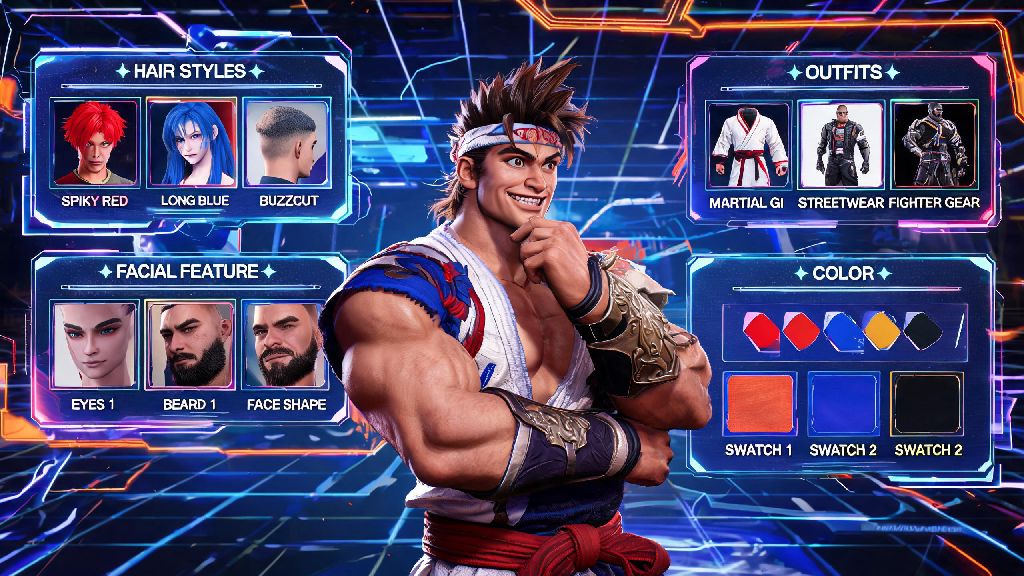
If you’ve spent any time hanging around Street Fighter 6’s Battle Hub, you’ve probably seen tons of players running around with wild, creative avatars that perfectly match their personality. Maybe you slapped together a quick custom character when you first booted up the game, but now you’re ready to switch up their hair, outfit, or even entire facial structure to match your current vibe. Figuring out how to change your avatar in Street Fighter 6 isn’t as intuitive as you might think at first, especially if you’re still getting used to the game’s layered menu system. That’s why we put together this tested, no-fluff guide to walk you through every part of the process, including unlockable options you might not know exist.
Where to Access Avatar Customization in Street Fighter 6
First, you should know that full avatar customization is locked until you complete the first 10 minutes of World Tour mode. This quick intro section teaches you the basics of avatar creation, and once you finish it, you’ll have permanent access to the editor across all game modes. There’s no way to skip this step, so if you just bought the game and want to tweak your character right away, blitz through the opening World Tour missions first.
Once you have the editor unlocked, you can access it in two different ways depending on where you are in the game. If you’re on the main menu, navigate to the Customize tab, then select “Avatar” to pull up your current character’s profile. If you’re already in the Battle Hub or mid-World Tour playthrough, you can pull up the multi-tool menu, select “Profile”, then choose “Edit Avatar” to jump straight to the editor without exiting your current session. This saves you a ton of time if you decide you hate your avatar’s outfit mid-quest and want to change it immediately.
Step-by-Step Process to Update Your Avatar Look
We tested this process across both console and PC versions of the game to make sure every step works no matter what platform you play on. If you follow these steps in order, you’ll have your new avatar ready to go in less than two minutes:
That's all there is to the basic process, but there are a few details most players miss. For example, any outfits you’ve purchased or earned through World Tour side quests will stay in your inventory forever, so you don’t have to repurchase them if you switch up your avatar’s body type later. The only exception is layered clothing items that are tied to specific body shapes, but those are very rare and clearly marked in the in-game shop.
Common Mistakes to Avoid When You Change Your Avatar in Street Fighter 6
Even though the process is straightforward, we’ve seen tons of players run into avoidable issues that waste their Drive Tickets or lock them out of customization options temporarily. First, don’t waste Drive Tickets on basic facial feature changes – those are always 100% free, no matter how many times you adjust them. The only changes that cost currency are new outfits, hair colors, and limited-edition cosmetics sold in the in-game item shop.
Another common mistake is forgetting to preview your avatar in battle stance before saving. Your character’s default standing pose in the editor is very different from their fighting stance, so features you thought looked fine in the editor might look stretched or odd when you’re in a match. For example, a wide-brimmed hat you love in the editor might block your view of your character’s attacks mid-fight, so you’ll want to test that before you lock in your changes.
A lot of new players also don’t realize that your avatar’s appearance carries over to every online mode, including Battle Hub hangouts, custom matches, and even World Tour co-op sessions. If you’re making a silly avatar for a stream, just remember that’s what other players will see when you queue up for ranked avatar battles too. Oh, and one more thing: You can’t change your avatar’s fighting style from this menu. If you want to swap which master your avatar learns moves from, you’ll have to go to the World Tour mode menu and select “Master Assignment” separately.
How to Unlock New Avatar Customization Options
Once you get the hang of basic avatar edits, you’ll probably want to unlock more unique cosmetics to make your character stand out from the crowd. The easiest way to get new items is to play through World Tour mode side quests, which reward everything from neon hair dye to branded streetwear from in-game brands like Nayshall Kicks and Metro City Apparel. Most side quests only take 5 to 10 minutes to complete, so it’s easy to knock a few out between online matches to build up your cosmetic collection.
You can also earn Drive Tickets by completing daily and weekly challenges, which you can spend on limited-time items in the in-game shop. These items rotate every two weeks, so if you see a cosmetic you really want, it’s smart to grab it before it leaves the shop. Daily challenges only take a couple of minutes to finish, so you can build up a big stack of Drive Tickets in just a few weeks of casual play.
Another underrated way to get rare customization items is to participate in Community Battle Hub events. Capcom regularly runs themed events where you can earn exclusive avatar items just by playing a certain number of matches in the event lobby. For example, past events have given out Halloween costumes, professional wrestling gear, and even crossover items from other Capcom franchises. If you don’t feel like grinding for items, you can also purchase premium cosmetics with Fighter Coins, but we recommend holding off on that unless you really want a specific limited item, since most good cosmetics are unlockable for free just by playing the game regularly.
At the end of the day, learning how to change your avatar in Street Fighter 6 is a small skill that makes the game way more personal, whether you’re hanging out with friends in the Battle Hub or grinding through World Tour side quests. Don’t be afraid to experiment with weird, creative looks – that’s half the fun of the game’s customization system. If you run into any issues with missing items or menu glitches, a quick restart of the game almost always fixes the problem, and you won’t lose any saved edits you made before the glitch hit. Next time you log on, take five minutes to tweak your avatar to match your current mood – you’ll be surprised how much more fun your play sessions feel when you’re playing as a character that feels like you.