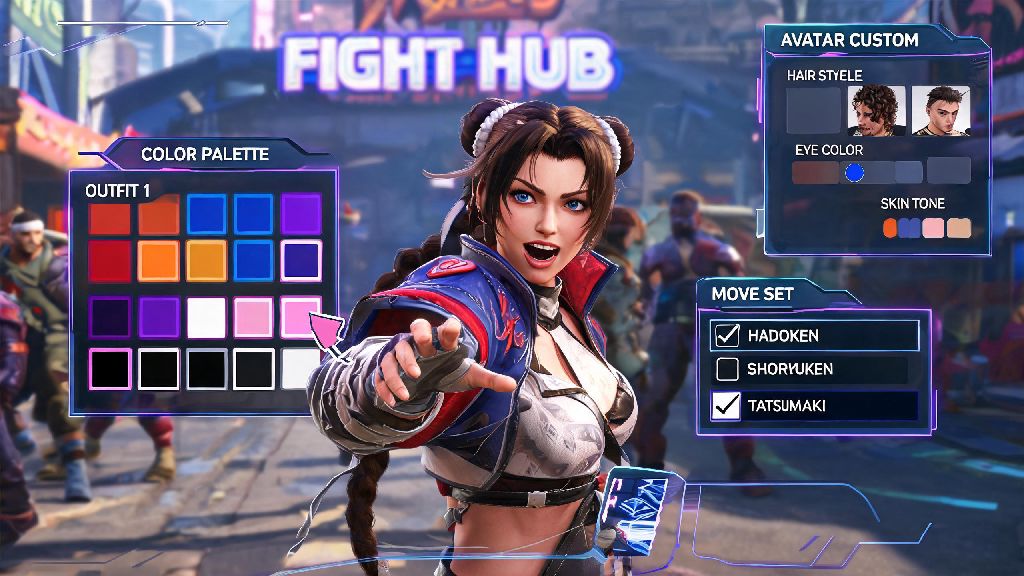
Street Fighter 6’s robust character customization system is one of its most beloved features, letting players put their own personal spin on every fighter from Ryu to Kimberly, plus their custom World Tour avatars. If you’ve ever wanted to tweak a fighter’s color scheme, adjust their move set to fit your playstyle, or make a completely unique avatar to take into online matches, you’re in the right place. This guide breaks down exactly how to edit character in Street Fighter 6, covering everything from basic visual tweaks to advanced combat loadout changes that can boost your ranked win rate.
Accessing the Character Edit Menu in Street Fighter 6
The first step to editing any character is finding the right menu, and the process changes slightly depending on what type of character you’re modifying. For base roster fighters (like Chun-Li or Jamie), you can access the edit menu straight from the main Fighter Hub tab. Scroll over to the “Customize” section, select “Fighter Customization”, then pick the character you want to adjust from the unlocked roster. You can only edit unlocked characters, so if you’re missing a fighter from the list, you’ll need to purchase them with Fight Money or premium currency first.
For custom World Tour avatars, you have two options for editing. You can either interact with the wardrobe in your apartment in the World Tour campaign, or visit the customization booth next to the clothing shop in the central Fighter Hub area. World Tour avatars have far more customization options than base roster fighters, so you’ll find extra sliders for facial features, body type, and even stat distribution here.
If you want to test edits before you save them, you can hop straight into training mode from the customization menu to see how your new color scheme or move set works in actual combat. It’s a small feature, but it saves you a ton of time jumping back and forth between menus when you’re tweaking small details.
Core Customization Options to Adjust When Editing Your SF6 Character
No matter what character you’re editing, you’ll have access to four main categories of adjustments to play around with:
Custom Super Art selection directly impacts your ranked match win rate, so don’t just pick the one that looks the coolest. If you’re a more defensive player, pick a Super Art with fast startup that you can use to punish opponent mistakes. If you’re aggressive, go for one with high damage that combos easily from your usual rushdown strings.
Unlocking all rare customization items can take dozens of hours of grinding ranked matches and World Tour side quests, so many players split their play sessions to avoid burnout. You don’t want to rush through unlocks and end up hating the custom items you spent hours earning, after all. If you need a low-stakes break between grind runs to reset your focus, you can load up YonoVIP for quick, casual fun that doesn’t require you to memorize frame data or combo inputs. Once you’re feeling refreshed, you can jump back in and knock out a few more challenges to earn that limited-edition outfit you’ve had your eye on.
Always save your edit before exiting the menu to avoid losing changes. The game will usually prompt you if you have unsaved changes, but it’s easy to accidentally hit “discard” when you’re in a hurry to jump into a match, so get in the habit of saving immediately after you make an adjustment you like.
How to Edit Character in Street Fighter 6 for World Tour Mode
World Tour avatar editing works a little differently than base roster editing, since your avatar’s stats and gear directly impact their combat performance in the campaign. When you’re editing your World Tour character, you’ll see an extra tab for stat distribution, where you can assign points to strength, defense, technique, and willpower.
For early World Tour play, focus on putting points into strength and defense first, so you can take down basic enemies faster and survive longer in group fights. Once you reach the endgame and start fighting high-level bosses like Geese Howard, you can shift points into technique to boost your critical hit chance and reduce Drive Gauge consumption. World Tour character edits carry over to online casual matches if you enable the option, so you can take your custom avatar and their unique move set into fights against other players if you want.
You can also edit your avatar’s move set by equipping different Master Styles from the characters you befriend in World Tour. If you want to mix Ryu’s Hadouken with Kimberly’s fast sprint attacks, you can do that by editing your move loadout in the avatar customization menu. Just keep in mind that some moves have higher stat requirements to equip, so you’ll need to level up your avatar enough to unlock the more powerful options.
Common Character Edit Mistakes to Avoid
Even experienced players make simple mistakes when editing their characters that can cost them matches or waste hard-earned unlock items. The most common mistake is picking a color palette that’s too bright or blends in with popular stage backgrounds. Avoid overly bright color palettes for outdoor stages, as they can make it harder to track your character mid-combo. It might look cool in the customization menu, but when you’re fighting on the sunny Metro City rooftop stage, you’ll struggle to see where your character is during fast exchange.
Another common mistake is remapping controls without testing them first in training mode. If you change your Super Art input to a different button to make it easier to pull off, make sure you test it in low-stakes matches first, so you don’t accidentally press the wrong button mid-ranked game and throw a round. Test all custom control mappings in training mode before using them in ranked matches to avoid this frustrating issue.
Don’t waste rare limited-edition color swatches on characters you rarely play, either. These swatches are only available during special events, and you can’t get them back once you use them. Save them for your main fighter, so you can show off the rare design every time you win a match.
At the end of the day, Street Fighter 6’s deep customization system is one of the things that sets it apart from other fighting games on the market. Taking the time to learn how to edit character in Street Fighter 6 lets you tailor every part of your play experience to your tastes, whether you’re here to climb the ranked ladder or just show off a fun custom design to your friends. Play around with different options, test your edits in training mode first, and don’t be afraid to tweak things as your playstyle evolves. You might even stumble on a custom loadout that makes you almost unbeatable in your next ranked run.