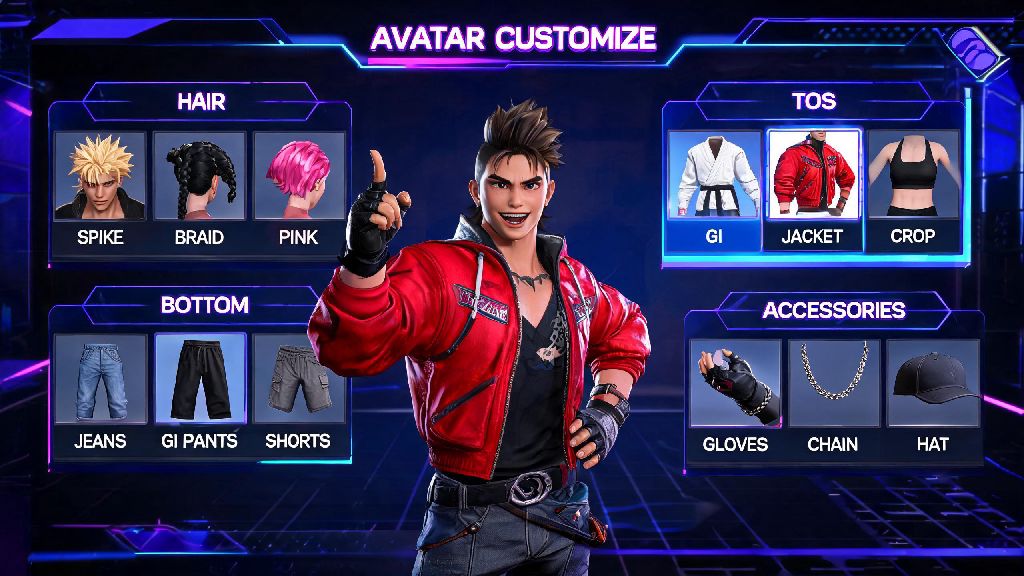
When I first launched Street Fighter 6, I blew through the initial avatar creation screen in 2 minutes flat, just desperate to jump into World Tour and start throwing hands with Luke. It only took one run-in with a custom avatar rocking a neon dinosaur onesie and a custom catchphrase to realize I’d made a huge mistake. My generic default character looked boring, had terrible stats, and didn’t feel like me at all. If you’re in the same boat, you don’t have to restart your entire save to fix it – this walkthrough breaks down exactly how to edit your avatar in Street Fighter 6, unlock rare customization items, and build a character that fits both your playstyle and personal aesthetic.
Where to Access the Avatar Editor in SF6
You don’t have to travel to a specific location to edit your core avatar features, though you will need to be out of active battle to pull up the menu. All you have to do is open your main in-game menu, scroll to the Multi-Tabbed Item Shop section, and select the “Avatar Customization” option from the dropdown. You can make as many small edits as you want for free here, no in-game currency required, unless you’re purchasing new clothing or accessories to add to your collection.
If you’re playing World Tour mode, you can also access a more limited version of the editor from any safe house you’ve unlocked on the map. This version lets you change your outfit, emotes, and preset taunts, but you can’t adjust your facial structure, body type, or base skin tone from these locations. That means if you want to make major structural changes to your avatar, you’ll need to use the main menu editor instead of the safe house tool.
How to Edit Your Avatar in Street Fighter 6: Core Customization Tools Explained
The avatar editor is split into three distinct sections, each handling a different part of your character’s design. The first section covers base structural features: face shape, eye shape, nose size, lip shape, skin tone, hair texture and color, and visible markings like scars or tattoos. You can zoom in to make pixel-perfect adjustments here, so don’t be afraid to tweak even tiny details like eyelash length or eyebrow arch to get the look you want.
The second section covers body type, and this is where a lot of new players make mistakes. It’s easy to just pick the tallest, most muscular build available, but your body type directly impacts your in-game battle stats in World Tour and online avatar battles. The stat tradeoffs are balanced enough that no build is objectively better, but you should pick one that aligns with the way you like to play:
The third section of the editor covers clothing, accessories, emotes, and taunts. You can mix and match pieces from any of the sets you’ve unlocked, adjust color palettes for almost every item, and even toggle whether you want to show accessories like hats or glasses during battle sequences. You can also set specific emotes to trigger when you win a battle, lose a battle, or run into another player in the open world of World Tour mode.
Unlocking Rare Avatar Customization Items
The base editor comes with a decent set of default items, but if you want to build a truly unique avatar, you’ll need to unlock more pieces as you play through the game. The easiest way to get new items is to level up your bond with playable master characters: every time you raise your bond level to a new threshold, you’ll unlock a piece of their iconic outfit to use on your own avatar. For example, maxing out your bond with Chun-Li will get you her classic qipao and signature hair buns to add to your collection.
You can also find Hidden Clothing Vendors across Metro City and Nayshall that sell rare, limited-edition items you can’t get anywhere else. These vendors are usually tucked away in alleyways or on upper floors of buildings, so it’s worth taking a break from fighting to explore every corner of the map. Most of these vendors only accept in-game zenny, so you won’t have to spend real money to get their best items.
If you’re willing to put in extra work, you can also unlock exclusive customization pieces by completing daily and weekly challenges in the Battle Hub. These challenges range from winning 5 casual matches to landing 10 perfect parries in a row, and the rewards usually include rare color palettes, limited-edition accessories, and exclusive emotes you can’t get from any other source. You don’t have to be a top-tier player to complete most of these challenges either – even casual players can knock out 2 or 3 a week without too much effort.
Pro Tips to Make Your SF6 Avatar Stand Out
Once you’ve got a good collection of customization items unlocked, there are a few little-known tricks you can use to make your avatar feel even more unique. First, don’t sleep on the color customization sliders for clothing items. Most players just pick one of the 10 default color options, but you can open the advanced color menu to adjust hue, saturation, and brightness to make any piece of clothing any color you can imagine. I used this tool to make a neon pink version of Ryu’s classic gi, and I get compliments on it almost every time I join a Battle Hub lobby.
You should also take time to customize your photo mode pose library with custom positions for your avatar. You can adjust everything from your character’s facial expression to the angle of their arms and legs, then save those poses to use in battle intro and outro cutscenes. This is a tiny detail that most players skip, but it makes your avatar feel far more personal than any generic pre-set pose.
Finally, avoid copying popular viral avatar designs if you want to stand out. It’s tempting to replicate that viral Goku or Spider-Man avatar you saw on TikTok, but you’ll run into 10 other players with the exact same design the second you step into a busy Battle Hub. Even small tweaks – like changing the hair color or adding a unique accessory – will make your avatar feel far more original and memorable to other players you meet online.
At the end of the day, your Street Fighter 6 avatar is your public face across World Tour, Battle Hub lobbies, and online avatar battles, so it’s worth taking 10 or 15 minutes to get it right. You don’t need to spend real money or grind for hundreds of hours to build a great looking character either – even small, free adjustments to your face, body type, and outfit can make a huge difference. Now that you know how to edit your avatar in Street Fighter 6, jump into the editor and start building a character that feels entirely yours.