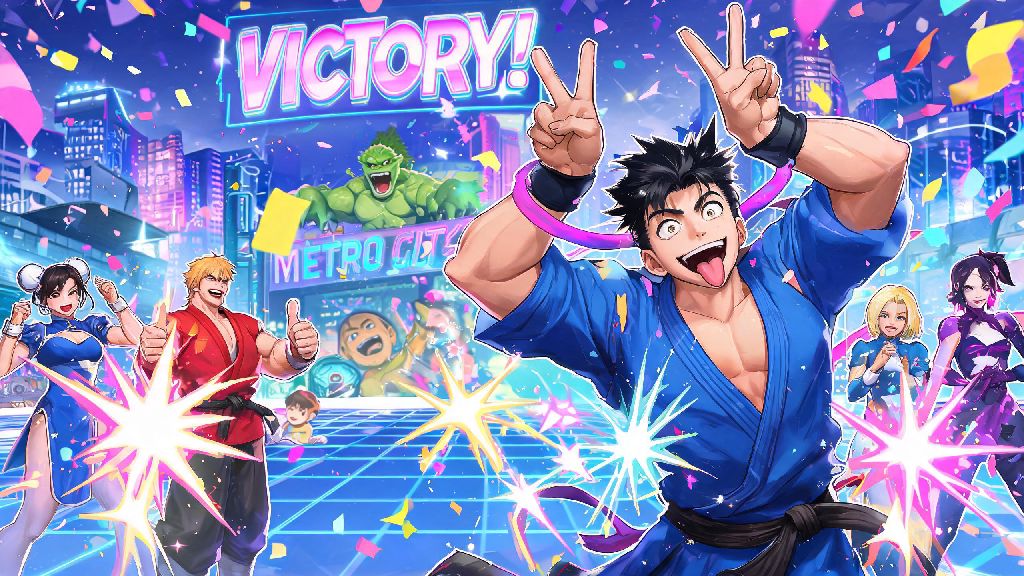
You just landed a perfect parry into a level 3 super that wiped out your ranked opponent in Street Fighter 6, and the only thing that would make the moment better is popping your favorite silly emote before the victory screen pops up. A lot of new players struggle to figure out how to emote in Street Fighter 6, especially since the controls change slightly depending on what mode you’re playing and what platform you’re on. I’ve put in over 200 hours across World Tour, Battle Hub, and ranked play, so I’ve tested every emote control scheme to break this down as simply as possible, no messy menu digging required.
How to Emote in Street Fighter 6: Basic Controls Per Platform
First, let's cover the default controls for quick emotes, which work in most versus modes, Battle Hub, and even open World Tour areas. You don't have to pause and dig through menus mid-match if you set these up first. You can adjust all of these binds later if the default setup doesn't feel natural for your play style.
If you don't like the default binds, you can edit them any time in the "controls" tab of the main settings menu. I recommend binding your most used emotes to D-pad directions + hold trigger, it's way faster than fumbling for the touchpad or view button mid-ranked set. Just make sure you don't accidentally bind them to a button you use for parries or specials, I made that mistake my first week and threw three matches by emoting instead of parrying.
Where You Can Use Emotes in Street Fighter 6 (And Where You Can't)
A lot of players assume emotes work everywhere, but Capcom put specific restrictions in place to keep competitive play fair and reduce trolling. These rules are rarely explained in game, so it's easy to get confused when your emote button doesn't work in certain spaces.
First, let's cover the places emotes work perfectly: Battle Hub is the most emote-friendly space, you can use any emote you own any time you're walking around, waiting for a match, or standing by your arcade cabinet. You can even use emotes while watching other players' matches to cheer them on or react to big plays. World Tour mode lets you emote any time you're in the open world, and some side quests even require you to use specific emotes to progress, like doing the cossack dance for Zangief to unlock his training missions. Casual versus matches and custom rooms let you use emotes between rounds and right after a match ends, no restrictions.
Now the places you can't use emotes: You can't emote mid-round in ranked matches, which is a good call to stop people from distracting opponents mid-combo. You also can't use emotes during World Tour story cutscenes, or during official tournament matches if you're playing in a Capcom Pro Tour event. That makes sense, keeps the competitive space respectful while still letting you have fun in casual modes.
How to Unlock New Emotes for Your Avatar and Characters
Most players start with only 2 or 3 default emotes, but there are over 50 unique emotes you can unlock across the game right now. You don't have to spend real money to get almost all of them, which is a nice change from a lot of other fighting games that lock fun cosmetic content behind paid DLC.
The easiest way to get new emotes is to buy them from the Battle Hub shop using Drive Tickets, which you earn just by playing matches, completing daily challenges, and ranking up. New emotes are added to the shop every few weeks, so check back regularly to see if there are any that fit your style. You can also unlock emotes through World Tour mode progression. A lot of master characters will give you a unique emote when you max out your bond level with them, like Ryu's signature meditation pose or Chun-Li's victory spin.
Some limited-time event passes also give out exclusive emotes for free, so make sure to check the battle pass tab every time a new event drops. If you're playing on a console that has exclusive pre-order bonuses, you might have a few extra emotes that other players don't have access to, but those are mostly cosmetic and don't give you any gameplay advantage. One tip I always give new players: Prioritize buying emotes that have short animations if you plan to use them in ranked matches post-win. Longer emotes might get cut off by the victory screen before they finish playing, so it's not worth spending your Drive Tickets on a 10-second dance that you'll never get to see all of.
Etiquette Tips for Using Emotes Respectfully
Emotes are supposed to be fun, but if you use them the wrong way you can come off as a toxic player, which no one wants. The SF6 community is generally pretty welcoming, but there are a few unwritten rules around emote use that will help you avoid annoying other players.
First, don't spam emotes after every round win against a new player. It's fine to use one emote after a really good play, but spamming 4 emotes back to back when someone is clearly still learning just makes you look like a jerk. If you're playing in a custom room with friends, feel free to mess around as much as you want, but if you're in public casual matches, stick to one emote per win max. Never use an emote right after someone disconnects or has a lag spike that costs them the match, that's just bad form. A lot of players also consider using a "teabag" style emote mid-match in casual play to be pretty rude, so save those for when you're playing with people you know won't mind.
On the positive side, emotes are a great way to build community in the Battle Hub. If you see someone pull off a really cool combo in a spectator match, use a clap or cheer emote to show your support. I've made a ton of new SF6 friends just by emoting at people in the Battle Hub before challenging them to a friendly match. It's a small touch that makes the whole community feel a lot more welcoming.
At the end of the day, learning how to emote in Street Fighter 6 is a small part of the game, but it adds so much personality to your matches and interactions with other players. Take 5 minutes to set up your quick emote binds next time you log on, unlock a few fun emotes that fit your style, and remember to use them respectfully. You'll be surprised how much more fun your matches feel when you can celebrate a good win or laugh off a bad loss with a silly emote, instead of just moving straight to the next match.